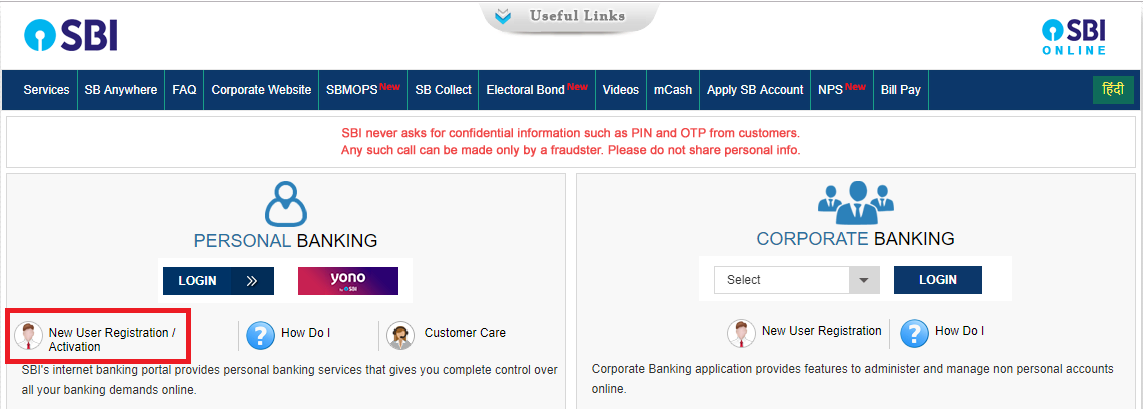
1. Go to the homepage of SBI net banking, onlinesbi.com
2. Click on “New User Registration/Activation” link.
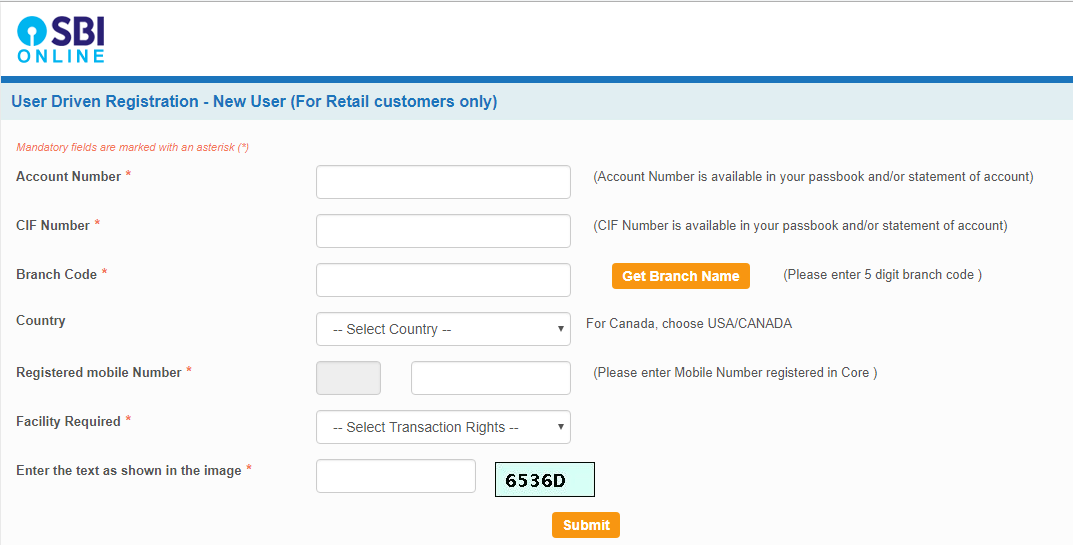
3. Enter Account Number, CIF number, branch code, country, registered mobile number, the facility required and click on the “Submit” button.
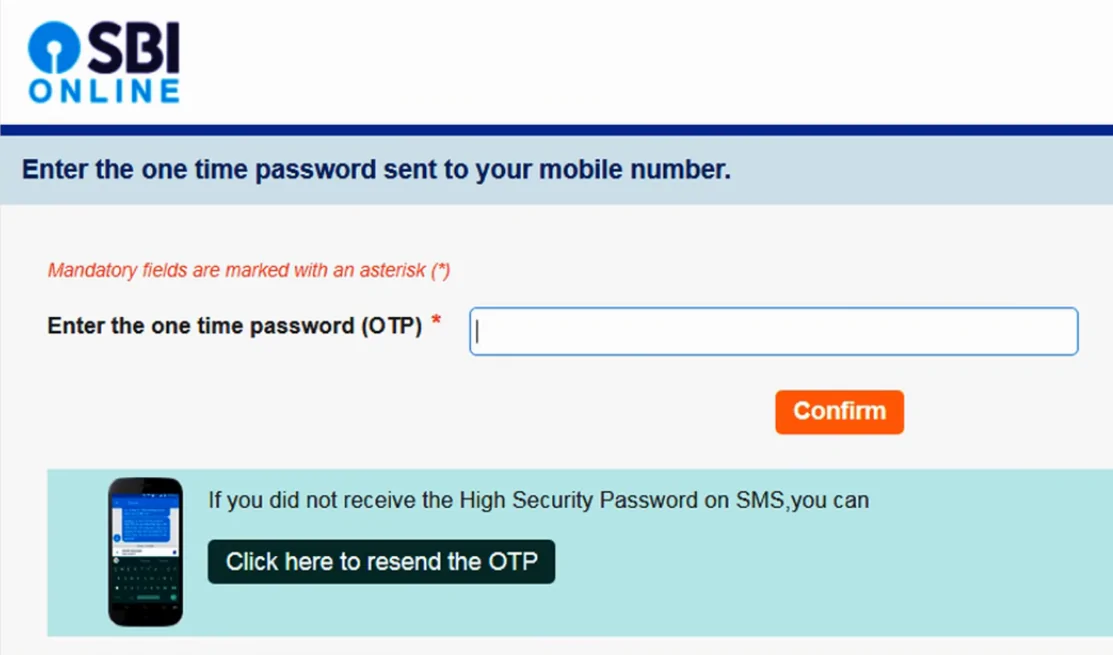
4. Enter OTP (One Time Password) received on your registered mobile number.
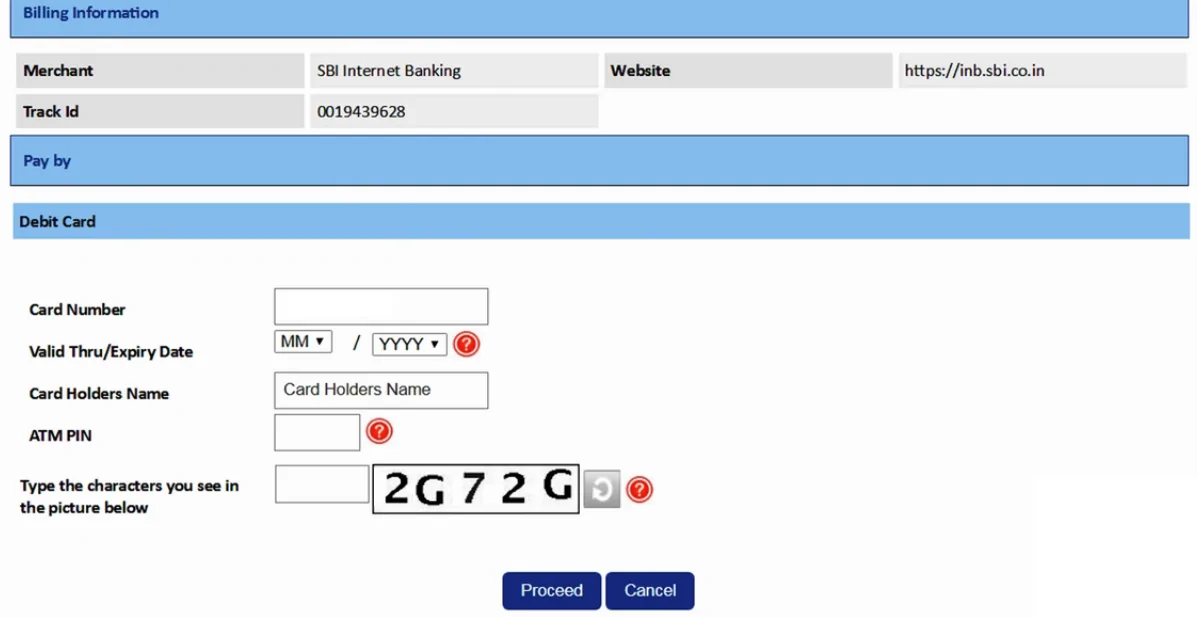
5. Select ATM card to proceed for activation of the services. If you don’t have an ATM card, your branch will complete the registration process for you.
6. Note the temporary username and create login password (The password should be eight characters long, a combination of upper and lower case letters, at least one number and one special character) and re-enter the password and click submit to complete the registration process.
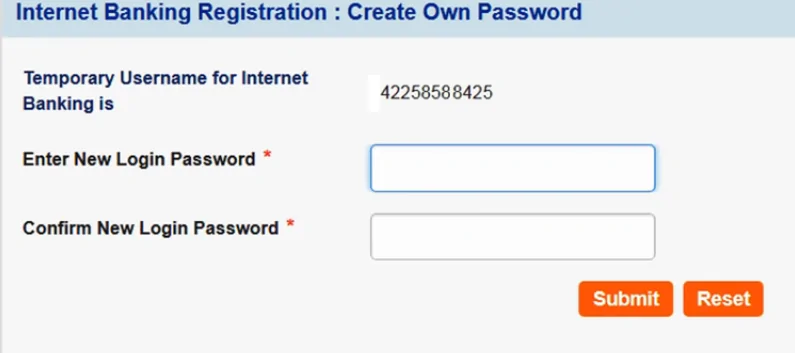
7. Login with a temporary username and newly created password.
8. Create a username of your choice that will be your permanent username.
9. Accept terms and conditions and set the login password and profile password and select hint questions and create answers for hint questions.
10. Enter the date of birth, place of birth and registered mobile number.
11. Click on “Account Summary” link to view all account mapped with your account.
12. If you are registered with “View Only Rights”, contact your branch to activate your “transaction rights” with a printout of your online registration process.
Comments
Post a Comment